

Insights · November 8, 2026
Google Business Profile for contractors
Claim the listing that already exists, use your real business name, and keep photos, posts, reviews, and hours current each month.
Want it done for you?
Master sets the profile up, gets it verified, and keeps it fresh with photos and posts. You stay the owner. That work is Google Business Profile management for contractors.
By Kyle Burt, Co-founder
Transcript
Quick answer
How should a contractor set up and manage a Google Business Profile? Search Google for the business and claim the listing that is already there. Create a profile only when that search shows no listing, so you do not make a duplicate. Use the real business name, with no city or service words added on. Pick one primary category for the work that brings most of the calls, then secondary categories only for work you actually sell. If customers come to a shop, show that address and the real hours. If they only see you at the job, set a service-area business and hide the address. Use the same phone number and website on the profile, the site, the truck, and the ads. Finish the verification Google offers. Add a second owner or manager from the company. An agency should be a manager, not the owner. Each month, add real job photos, post finished work, ask every customer for a review with the direct Google review link, reply to every review, and check calls, website clicks, and direction requests. Keep hours and services current.
Set up the profile once
Do these steps in order. A second listing for the same company splits the reviews and the photos. Fix the profile customers already see before you add a new one.
- 1
Claim the listing, or create one only if none exists
Search the business name and the phone number. If a profile is there, claim it. Create one only when that search shows nothing. If two listings exist, claim the one customers already use, and do not create a third. Ask Google to merge the extra one with the tools inside the profile you claimed.
- 2
Use the real business name
Match the name on the truck, the invoices, and the website. Leave off a city or a trade word that is not part of that name. The name field is not a place to add a search phrase.
- 3
Pick a primary category, then only real secondary categories
The primary category is the trade that brings most of the calls. Secondary categories are other work you actually do. A roofer who also installs gutters can add that work. A plumber who does not service air conditioners should not add an HVAC category. If you stop selling a service, take that category off.
- 4
Service area, or a storefront customers visit
If homeowners come to your office or showroom, show the address and keep the hours true, including holidays. If you drive to the job and they do not visit you, set a service-area business and hide the address. List cities you actually serve. Do not add a town you will not drive to.
- 5
One phone number and one website
Use the same number on the profile, the website, and the truck. The website field should open the site you want that click to reach. Contractor Systems can forward the business number you already publish, or port it. Porting a cell phone number moves it off that phone. Most contractors forward instead and keep the personal line separate. Advanced includes a tracked number for the website and ads.
- 6
Finish verification
Google verifies the profile before you can manage it. Use the method Google offers on that profile. Do not start a second listing while you wait.
- 7
Keep a second login at the company
Add a second person at the company as an owner or a manager, so one employee's login is not the only key. The company should own the profile. An agency should be a manager, not the owner. Manager access lets us connect your profile to review requests, post project updates, and route Google messages and calls into your inbox. You stay the owner.
Monthly checklist
Setup is once. Once a month, walk this list. Post when a job is finished and you have a photo.
- Real job photos, not stock photos. On Advanced, a job photo texted in becomes a project page on the website. Photos and posts on the Google profile are the Master work.
- A post about finished work, in a city you already serve. Skip a post that invents an offer.
- A review request after every job, with the direct Google review link. Ask every customer.
- A reply on every review, including the unhappy ones. The reply is public. Leave private details out of it.
- A look at calls, website clicks, and direction requests. This site does not publish a target for any of them.
- Hours and services kept current, including holiday hours. Remove a service you stopped selling. Add one only when you actually do it.
HVAC, plumbing, roofing, and general contractors
The setup is the same. The category, the services, and the photos should match the work. Contractor Systems is not the contractor on these pages.
For HVAC, the HVAC page is built around no-cool calls and replacement estimates. Google messages land in the same inbox as those calls. A review request goes out when the tech closes the ticket.
For plumbing, Google messages land in the same inbox as emergency calls, website forms, and texts. The plumbing page is that setup. A review request goes out when the plumber closes the job.
For roofing, review requests go out at the final walkthrough with photos of the finished roof. The roofing page is where that trade is described.
For a general contractor, Google inquiries land in the same inbox as the other project leads. Review requests go out at the final walkthrough, with before-and-after photos. The general contractor page covers that work.
Ask every customer, and do not pay for a review
Ask every customer who had the work done. Do not ask only people you expect to be happy, and do not hold the Google link back from the rest. Do not pay for a review, and do not offer a discount or a credit in exchange for one.
That rule is spelled out in is it ok to only ask happy customers for Google reviews. The how-to guides are HVAC, plumbing, roofing, electrical, remodeling, and landscaping. Replies to an unhappy review are in how to respond to a negative Google review.
5-star review requests are on Advanced, at $297 a month. Every customer gets asked right after the job, and every customer gets the Google review link. A friendly text goes out after the job is marked done. If no review comes in after 3 days, one gentle reminder goes out. AI replies to every Google review are on Pro, at $597 a month. Every review gets a thoughtful reply in your voice.
Doing it yourself vs having it managed
Doing it yourself means you run the setup on this page and you walk the monthly checklist. You stay the owner. A second person at the company is an owner or a manager. An agency, if you use one, is a manager.
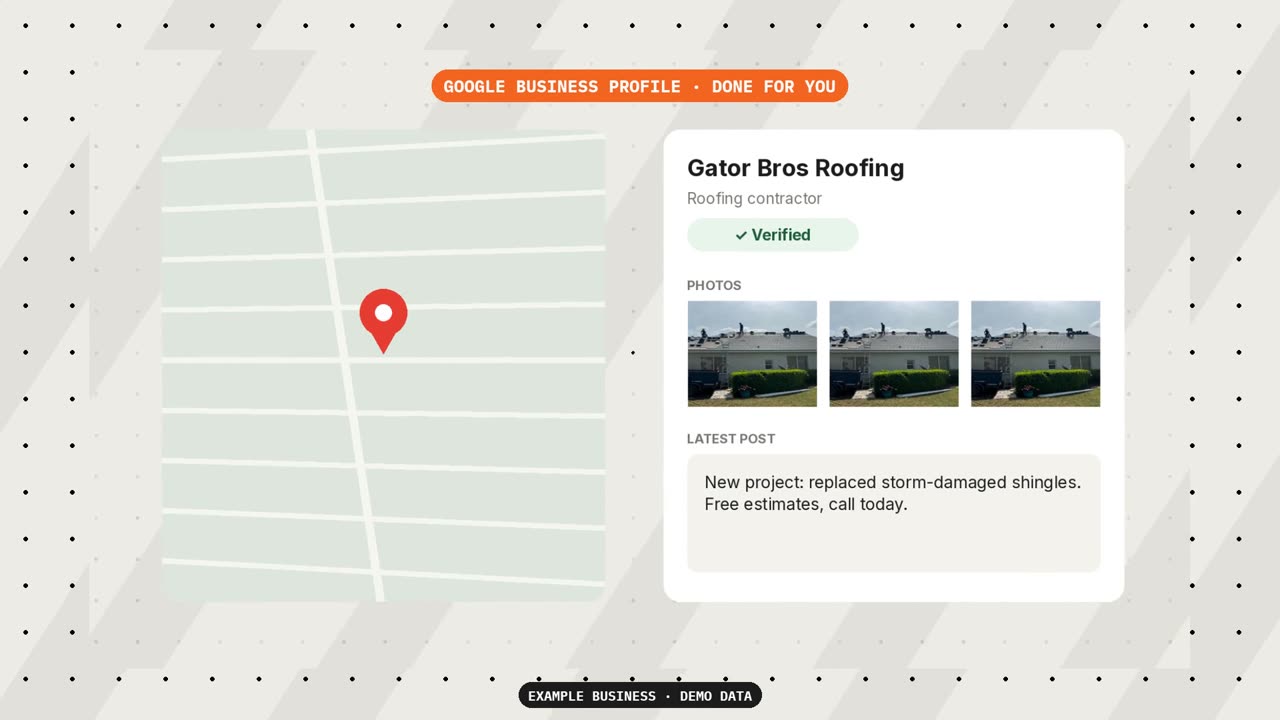
Having it managed is the Google Business Profile feature. Google Business Profile, done for you. Set up, verified, and kept fresh with photos and posts so you show up on the map. That work is on Master, at $897 a month, along with everything in Pro. You stay the owner, and you add Contractor Systems as a manager. If you do not have a profile yet, we create one with you. Advanced, at $297 a month, includes connecting the profile as part of setup. Connecting it is not the same as keeping it fresh with photos and posts.
5-star review requests stay on Advanced. AI replies to every Google review stay on Pro. Extra location is $47 a month, with its own Google Business Profile. Monthly billing adds a one-time setup fee equal to the first month. On Master that fee is $897. Quarterly and annual billing waive it. No contracts on monthly or quarterly plans. Annual plans are paid up front for the year. The office is at 6901 Professional Pkwy E, Ste 232, Lakewood Ranch, FL 34240. The phone is (775) 297-0297.
Questions
What does Google Business Profile management for contractors include?
Setup, verification, and keeping the listing fresh with photos and posts. You stay the owner and add Contractor Systems as a manager. If you do not have a profile yet, we create one with you. That work is on Master, at $897 a month, along with everything in Pro. Advanced, at $297 a month, connects the profile during setup and does not include the ongoing photos and posts.
What is a Google Business Profile for HVAC contractors?
It is the map listing for an HVAC company. The HVAC page is built around no-cool calls and replacement estimates. Google messages land in the same inbox as those calls. A review request goes out when the tech closes the ticket. Contractor Systems is not an HVAC company. Photos and posts on the profile are on Master, at $897 a month. You stay the owner.
Should a contractor show their address on Google Business Profile?
Show it when customers visit a shop, an office, or a showroom, and keep the hours true. Hide it when they do not visit and you go to the job. That setting is a service-area business. List cities you actually serve.
How often should a contractor post on Google Business Profile?
Post when a job is finished and you have a real photo. This site does not publish a required number of posts per week. A quiet month does not need a filler post. On Master, at $897 a month, the profile is kept fresh with photos and posts. That is not a promise of a set number of posts.
Who should own a contractor's Google Business Profile?
The company should own it. Add a second person at the company as an owner or a manager. An agency should be a manager, not the owner. On Contractor Systems, you stay the owner, and you add Contractor Systems as a manager. If you do not have a profile yet, we create one with you. The office is at 6901 Professional Pkwy E, Ste 232, Lakewood Ranch, FL 34240.
What is the difference between Google My Business and Google Business Profile?
Google renamed Google My Business to Google Business Profile in November 2021. It is the same listing on Google Search and Maps. Contractor Systems calls it a Google Business Profile. The setup steps and the monthly checklist on this page are that work, under the current name.
Can a contractor without a storefront have a Google Business Profile?
Yes. Google's service-area business rules let a contractor without a shop hide the address and list the areas served. Show the address when customers visit the shop. https://support.google.com/business/answer/3038177
Want it done for you?
Master sets the profile up, gets it verified, and keeps it fresh with photos and posts. You stay the owner. That work is Google Business Profile management for contractors.
The profile, set up and kept current.
Master keeps the Google Business Profile fresh with photos and posts. You stay the owner.