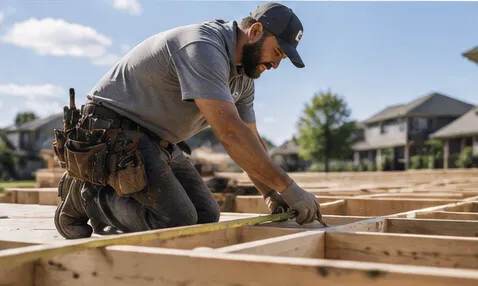
The photos from your best jobs are probably sitting on somebody’s phone.
That is a waste. A homeowner would rather see a real kitchen, roof, panel upgrade, or pool your company finished than another stock photo of a smiling person holding a wrench.
But that does not mean every finished job deserves its own page.
A useful contractor project page documents a specific job well enough to help the next customer make a decision. A thin page has two photos, a city name, and 200 words that could describe any job. Publishing hundreds of the second kind is not a content strategy. It is clutter.
The right rule is simple: publish the jobs that add proof or answer a buying question. Keep the rest in your internal job record, photo library, or social feed.
What a project page should do
A project page is different from a gallery.
A gallery says, “Here are some jobs we finished.” A project page explains what the customer needed, what the crew found, what work was completed, and what another homeowner with a similar problem should understand.
That page can do three useful jobs:
- Show that you have completed this type of work before
- Give a prospective customer enough context to recognize a similar problem
- Create a clear path to the relevant service page or estimate request
This fits the same basic standard in what a contractor’s website should actually do: build trust, make the next action easy, and help the right customer understand whether the company fits.
The page still has to earn its place. Google says its systems are designed to prioritize helpful, reliable, people-first content, and its self-assessment asks whether a page provides original information, a substantial description, and value beyond the obvious. Real job evidence can meet that standard. A template with the town and service swapped out does not.
Use a five-point test before publishing
Score the job before anyone writes the page. Give it one point for each yes.
- Is the job visually clear? The photos show the actual problem, work, or finished result without needing a long explanation.
- Is there a useful detail? The material choice, access issue, equipment condition, design constraint, code consideration, or repair decision teaches the reader something.
- Is the service commercially relevant? You want more work like this, and it is a service you can deliver profitably.
- Is the job distinct from pages already on the site? It adds a new service variation, property type, problem, or decision instead of repeating the last five jobs.
- Can you publish it without exposing the customer? You have the permission you need, and the photos and copy do not reveal an address, security detail, license plate, family information, or anything else that should stay private.
A four or five is a strong project-page candidate. A three may work if the job fills a real gap on the website. A one or two belongs in the photo library, not on a new URL.
That cutoff matters. Google defines scaled content abuse as publishing many pages primarily to manipulate rankings when the pages are unoriginal and provide little or no value. Its spam policy applies no matter whether people, automation, or AI created the pages.
Do not build 40 near-identical pages because the same roof system was installed in 40 nearby towns. Build one strong roof-replacement page, then publish individual projects when each one contains useful evidence that the main page cannot.
Capture the facts before the crew leaves
The hard part is not writing. It is getting clean information while the job is still fresh.
Use one short closeout form. The crew lead or project manager should record:
- Service performed
- City or broad service area, without the street address
- Property type
- Customer’s original problem or goal
- What the crew found
- Important choice the customer made
- Materials or equipment used, when relevant
- One complication and how it was handled
- Start and completion dates, if useful
- Before, during, and after photos
- Customer permission status
- The next service a reader should view
Keep the form short enough to finish in a few minutes. If it feels like writing an article from the driveway, the team will stop using it.
For example, “AC replacement in Tampa” is not much of a page. “Replacing an oversized AC system that left the second floor humid” gives the page a real problem. The useful detail may be how the load was evaluated, why the replacement size changed, or what the homeowner should watch for when rooms never feel balanced.
The same logic works across trades. A roofer can document a flashing failure that looked like a shingle leak. A remodeler can explain how a cabinet layout changed around a plumbing stack. An electrician can show why an older panel could not support the planned equipment. The page is useful because the job contains a decision, not because it happened in a city you want to rank for.
Write for the next homeowner, not the crawler
Use a descriptive title that sounds like a job a customer would recognize. “Roof replacement project in Sarasota” is accurate but weak. “Tile roof replacement after recurring valley leaks in Sarasota” gives the reader a reason to care.
A practical page structure is:
- The problem the customer wanted solved
- What the crew found during inspection or demolition
- The options considered
- The work completed
- The finished result
- What a homeowner with the same issue should do next
Use the customer’s own situation only with appropriate permission, and keep the copy about the work. You rarely need a full name, exact address, child’s face, visible house number, access code, alarm panel, or expensive item in the background. Crop or skip a photo when it reveals more than the job.
Do not invent a customer quote because the page looks empty without one. Do not claim savings, performance gains, or a dramatic outcome unless you measured them and can support them. The job itself is the proof.
Make the photos useful
Photo quality matters, but perfect production does not.
Take one wide photo that establishes the space, one closer photo of the problem, useful progress photos, and a finished view from roughly the same angle as the before image. Wipe the camera lens. Clear obvious trash when it is safe. Do not cover up the conditions that make the example useful.
Google’s image SEO guidance says page content and metadata can influence how an image appears in search. It recommends placing images near relevant text and using descriptive filenames and alt text. It also warns against stuffing alt text with keywords.
That means IMG_4827.jpg and alt text such as “roofer roofing company best roofer Sarasota roofing” are both bad choices. A filename such as tile-roof-valley-repair-sarasota.jpg and alt text such as “New flashing installed in a tile-roof valley” tell a person what the image shows.
Connect the page to the rest of the site
A project page should not be an orphan.
Link it from the matching service page, and link back to that service from the project. If the project answers a common estimate question, point to it from the relevant FAQ or sales follow-up. Feature the best projects in a browseable gallery or results section so homeowners can find them without searching Google first.
The call to action should match the job. A roof-leak project should lead to a roof inspection or estimate request. A panel-upgrade project should lead to the electrical service page. Sending every reader to a generic contact page throws away the context the project just built.
You can see how finished work supports broader proof on the Contractor Systems results page. Contractor Systems also includes a workflow that turns a job photo and closeout details into a project page, but automation should never remove the quality check. A faster bad page is still a bad page.
Audit the last ten jobs
Pull the last ten completed jobs and run the five-point test.
Choose the best two. Confirm permission. Collect the missing facts. Publish those pages and connect each one to the correct service page. Keep the other eight in the library until they add something worth publishing.
That is the operating rhythm I would use: capture every job, publish selectively, and review the library once a month. You get more real proof without turning the website into a pile of copied location pages.
If getting photos off crew phones and onto the website is the part that keeps breaking, watch how the Contractor Systems photo-to-project workflow works and compare it with your current closeout process.